Isaac Lab Arena 0.3: Should You Adopt the Alpha?
Isaac Lab Arena 0.3 adds experiment YAML and sensitivity analysis. This guide explains where it fits in a robot policy evaluation workflow.
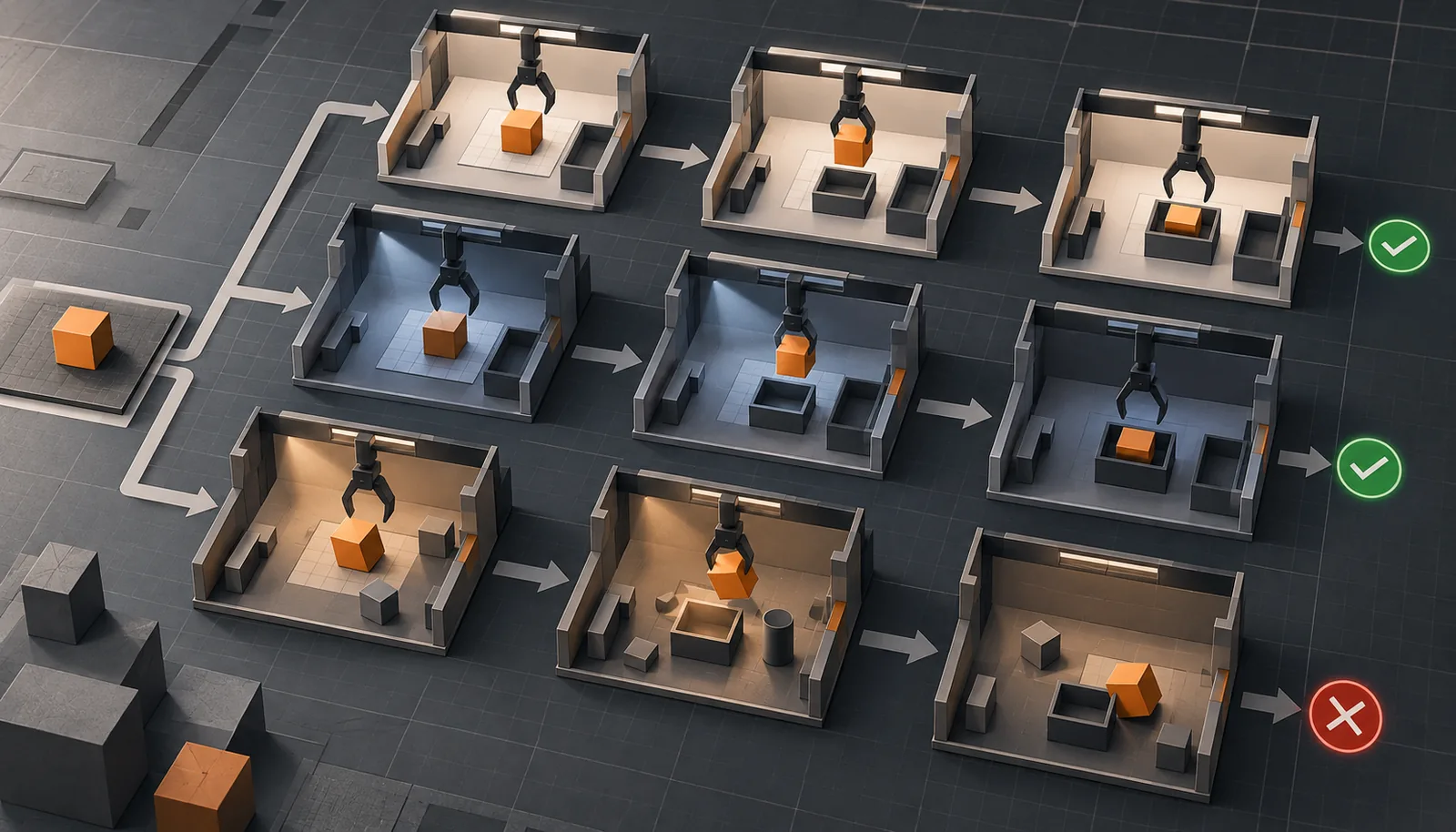
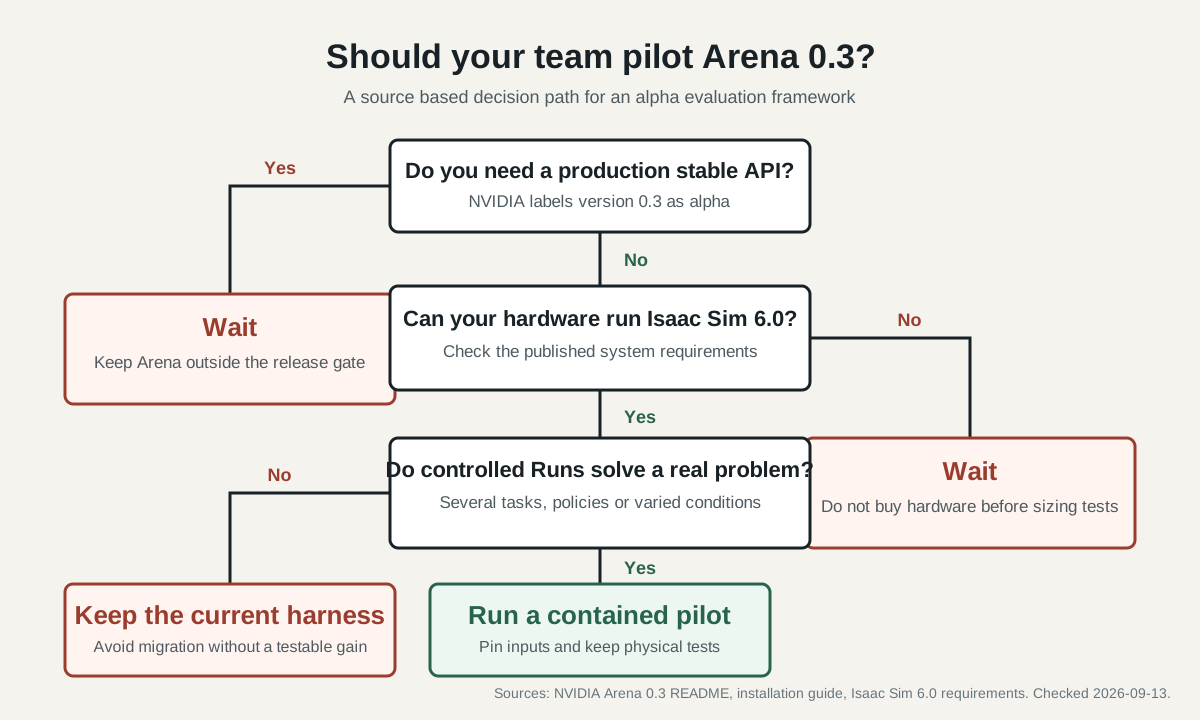
Isaac Lab Arena 0.3 is worth a pilot when your team needs repeatable robot policy tests across multiple tasks, policies or environment conditions. Do not make it the sole release gate for a deployed robot. NVIDIA labels version 0.3 as alpha, says its APIs will change and tells users not to run it in production.[1]
The strongest reason to test it is diagnosis. Arena can track progress within a task and relate episode outcomes to controlled variations such as camera position, lighting and object mass.[1] That can tell a policy team where to investigate. It cannot prove that the physical robot is ready.
Who should adopt Isaac Lab Arena 0.3 now?
Our view is narrow: adopt it for an evaluation pilot if you already use Isaac Lab, can maintain source based tooling and need to compare policy behavior across controlled conditions. Wait if your immediate need is a stable production interface, a published Python package or a lightweight simulator that runs below Isaac Sim's hardware floor.
Arena 0.3 runs with Isaac Sim 6.0.0 and Isaac Lab 3.0.0. NVIDIA documents native installation with `uv` and a source based Docker path. A published Python package is not yet available.[2] If the pilot will feed results into a ROS deployment, validate that software stack separately; ROS 2 Lyrical and Jazzy have different supported platforms and support windows.
That source based setup is not a minor footnote. The release README calls 0.3 an early code release and says features are incomplete. It recommends the `release/0.3.0` branch over `main` for the most stable experience.[1]
A useful pilot should determine whether Arena exposes policy failures better than the current scripts. It should also measure the work required to absorb API and workflow changes.
| Team situation | Recommendation | Why | Evidence checked 2026-09-13 |
|---|---|---|---|
| Existing Isaac Lab team with many custom evaluation scripts | Run a bounded pilot | Version 0.3 groups named Runs in typed experiment YAML and can execute the same definition locally or through OSMO. | NVIDIA Arena documentation. |
| Research team testing sensitivity to camera, lighting or object changes | Run a pilot with a fixed hypothesis | Version 0.3 records controlled variations and includes a sensitivity analysis workflow. | NVIDIA release notes and workflow. |
| Team seeking a production stable evaluation dependency | Wait or isolate it behind an internal adapter | NVIDIA calls 0.3 alpha, warns that APIs are unstable and says not to use it in production. | Release branch README. |
| Team that requires a package index install | Wait | The release notes say installation from a published Python package is not supported. | NVIDIA release notes. |
| Team below Isaac Sim's documented minimum system | Do not approve hardware yet | Isaac Sim 6.0 lists 32 GB RAM, 50 GB SSD, an RTX 4080 and 16 GB VRAM as the x86_64 minimum. | Isaac Sim requirements. |
What changed in Arena 0.3?
Version 0.3 replaces legacy evaluation jobs with typed YAML Experiments and Runs. One Experiment can contain multiple named Runs. Each Run combines an environment definition, a policy and rollout settings; shared values reduce repetition across Runs.[2]
The same Experiment definition has two execution paths. The local Experiment Runner executes Runs in YAML order inside one SimulationApp and builds a fresh environment for each. OSMO can schedule each Run on managed compute, then collect the outputs.[4]
The release also adds controlled variations and sensitivity analysis. Documented factors include lighting, camera intrinsics and object mass. The analysis workflow connects saved episode outcomes to sampled conditions and estimates a success conditioned posterior for selected factors.[2]
Do not turn that posterior into an automatic design limit. NVIDIA's walkthrough says its small example sweep is not enough to judge robustness. It also warns that separate marginal peaks may not identify the best combined three dimensional camera transform.[5]
How should a team run the first pilot?
Keep the first experiment deliberately boring. Install the pinned release and run the documented zero action rollout for 20 steps.[3] Execute the test phases before connecting a real policy. This checks the environment without mixing model weights, policy servers and task logic into the first failure.
Next, choose one task that already has a result from your existing test process. Use one policy checkpoint and one environment definition. Set an explicit episode limit and preserve the output. Arena's Experiment model gives each Run a policy, environment and rollout settings, while the runner writes per episode results that later analysis can use.[4]
Only then add a controlled variation. Pick a factor tied to a real deployment uncertainty, such as measured camera mounting tolerance. State the range and expected failure mode before the run. If the policy looks sensitive, repeat with enough episodes to test whether the pattern holds. NVIDIA says reliable sensitivity estimates require larger rollout counts than its small walkthrough uses.[5]
A useful acceptance record includes:
1. Arena branch, commit and dependency lock. 2. Isaac Sim and Isaac Lab versions. 3. Policy name, checkpoint digest and server configuration. 4. Environment definition, assets, seeds and variation ranges. 5. Episode limit, success criteria and subtask predicates. 6. Raw episode results, generated report and every failed Run. 7. A matching physical robot test plan for findings that matter to deployment.
Items one through four preserve the source revision, install path and Experiment inputs.[1]
Items five and six preserve the Run criteria and analysis outputs.[4]
Item seven is our recommendation because simulation alone does not establish physical performance or safety.
What does the pilot cost beyond software?
Arena uses the Apache 2.0 license.[1] It depends on Isaac Sim, which includes components under separate proprietary terms. Budget for compatible compute, result storage, policy serving, setup time and work caused by alpha API changes.
The hardware floor can be substantial. For x86_64, NVIDIA's Isaac Sim 6.0 minimum lists 32 GB RAM, 50 GB of SSD storage, an RTX 4080 and 16 GB VRAM. The same page says advanced Isaac Sim work and Isaac Lab training can require more RAM and VRAM.[6] The workstation requirement is separate from an onboard computer choice, which our Jetson Thor versus AGX Orin guide covers.
Container choices also affect the workflow. The Arena installation guide says native `uv` installs omit the optional cuRobo package used for the `ik_reachable` validation check. NVIDIA directs users who need that check to the Docker workflow with its `-c` option.[3]
What should count as a successful evaluation?
Do not reduce the answer to one success rate. Arena 0.3 can track milestones such as grasp, lift, transport and place.[1] Controlled sweeps can then test how each condition relates to success. A policy that reaches the object but fails to lift it needs a different investigation from one that never establishes a grasp.
Define each predicate before running the comparison. Preserve timeouts and partial progress, and inspect episode level results. When you change an object, camera parameter or background, change it through the Experiment definition and retain the effective configuration.[4]
The pilot passes when another engineer can reproduce the evaluation from the pinned inputs, explain where the policy failed and identify the next physical or simulation test. Arena 0.3 can organize that evidence. The deployment decision still belongs to the team responsible for the actual robot.
Isaac Lab Arena 0.3 questions
Is Isaac Lab Arena 0.3 production ready?
No. NVIDIA labels it alpha, says APIs are unstable and tells users not to use it in production.
Can Arena 0.3 compare multiple tasks and policies?
Yes. An Experiment contains named Runs, and each Run combines an environment definition, policy and rollout settings. Runs execute locally in order, while OSMO can schedule them on managed compute.
Does Arena install from PyPI?
No. The 0.3 release notes list a published Python package as unavailable. NVIDIA documents native `uv` and Docker source workflows.
What should a first test run?
Start with the documented zero action smoke test and test phases. Add one known task and policy only after the base installation works.
Sources
- https://raw.githubusercontent.com/isaac-sim/IsaacLab-Arena/release/0.3.0/README.md
- https://isaac-sim.github.io/IsaacLab-Arena/release/0.3.0/pages/references/release_notes.html
- https://isaac-sim.github.io/IsaacLab-Arena/release/0.3.0/pages/quickstart/installation.html
- https://isaac-sim.github.io/IsaacLab-Arena/release/0.3.0/pages/concepts/concept_arena_experiments.html
- https://isaac-sim.github.io/IsaacLab-Arena/release/0.3.0/pages/example_workflows/sensitivity_analysis/sensitivity_analysis.html
- https://docs.isaacsim.omniverse.nvidia.com/6.0.0/installation/requirements.html